How Do You Calculate Your Personal Year Number in Numerology?
Enter birth month and day plus a chosen calendar year to see a Personal Year number and the symbolic theme it names for that year
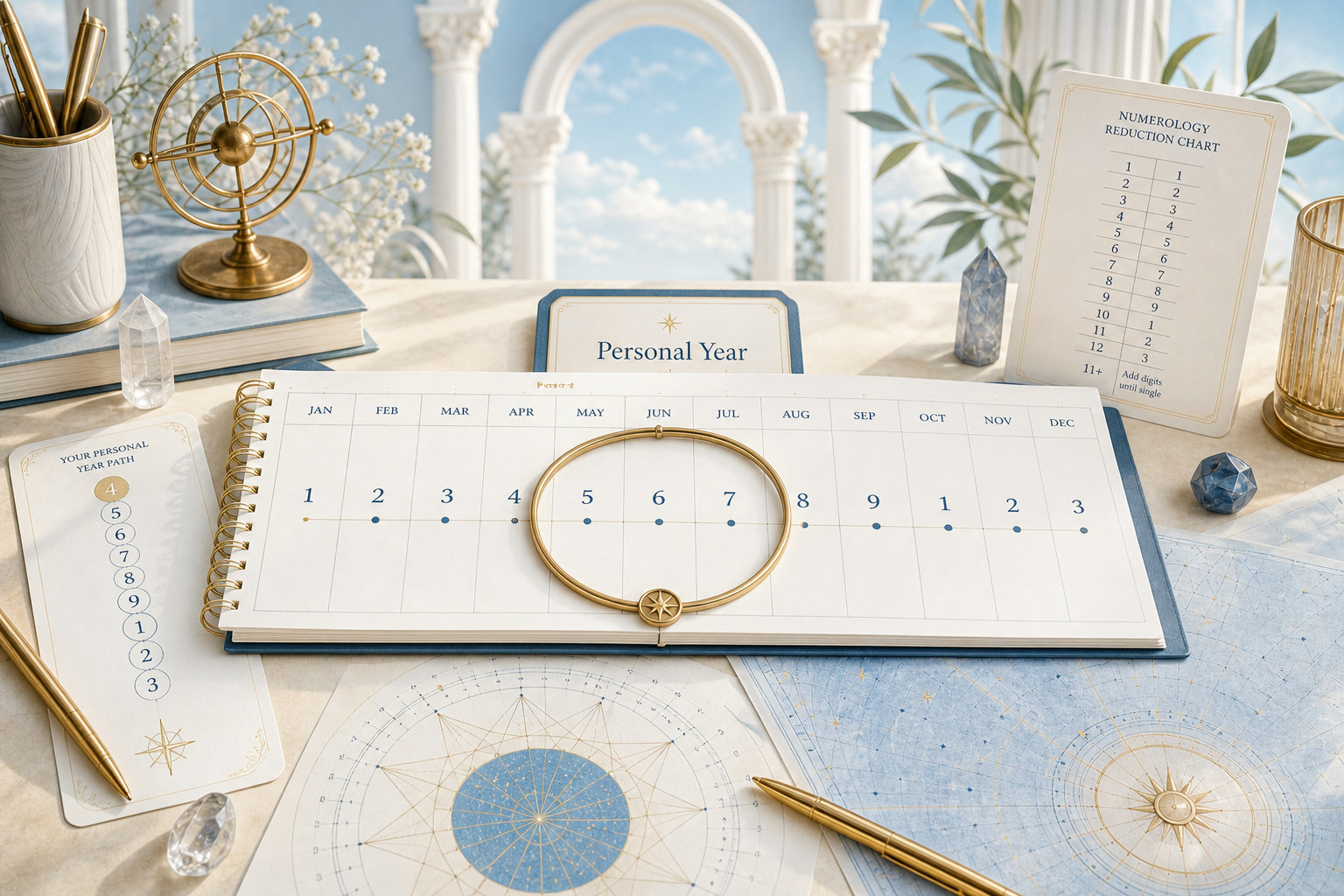
This tool organizes your input for reflection. It does not prove angel contact, predict an outcome, or replace your judgment.
The Personal Year calculator takes your birth month, birth day, and a calendar year you choose. It adds their digit sums, reduces the total, and shows a number that names a symbolic theme for that year.
Because the year’s digits change, the same birthday produces a different Personal Year each year. The birth year is not part of this calculation.
Quick Facts
- Inputs
- Birth month, birth day, and a calendar year (no birth year)
- Arithmetic
- Digit sum of each input added together, then reduced
- Master numbers
- Checkbox on by default; stops reduction at 11, 22, or 33
- Result
- A symbolic theme for the selected calendar year
- Year range
- Twenty years before and after the current year, starting on the current year
Birth month, birth day, and a chosen calendar year
Three inputs go into the Personal Year calculation: a birth month, a birth day, and a calendar year. The helper text under the birth fields reads "Your birth year is not used for this cycle calculation."
The year field offers twenty years before and after the current year and starts on the current year. Selecting a different year is what makes this a cycle calculation rather than a fixed result like a Life Path number.
A "Preserve master numbers" checkbox, checked by default, tells the calculator to stop when the running total reaches 11, 22, or 33. Clearing it continues the reduction to a single digit from 1 through 9.
Validation accepts any real calendar date, including February 29. If a field is empty, the message reads "Select your birth month and day, then choose a target year."
How the digit sums add up to a Personal Year
The calculator writes each input as individual digits, adds them in one line, and reduces the total by repeated digit sums. For May 15, 2026, the displayed step line is 5 + 1 + 5 + 2 + 0 + 2 + 6 = 21, then 2 + 1 = 3.
May 15, 2026 (Decoz’s worked example)
The tool writes month, day, and year as individual digits and adds them in one line.
- Write the digits
- Input
- May 15, 2026
- Action
- Month 5, day 15, year 2026 become the sequence 5, 1, 5, 2, 0, 2, 6.
- Result
- Seven digits
- Add
- Input
- 5 + 1 + 5 + 2 + 0 + 2 + 6
- Action
- Sum every digit in one line.
- Result
- 21
- Reduce
- Input
- 21
- Action
- 2 + 1.
- Result
- Personal Year 3
Decoz describes the same date with a different arithmetic path: "The Personal Year number is found by adding the month of birth, the day of birth, and the current calendar year." That gives 5 + 15 + 2026 = 2046, then 12, then 3.
Both paths reach 3 here. The two methods agree on most dates and diverge only when master numbers enter the picture.
Does it matter whether you add digit by digit or number by number?
With the master-number checkbox off, the two methods always give the same single digit. The digit-sum path and the number-sum path are arithmetically equivalent when nothing stops the reduction.
With master numbers on, the paths diverge on about 14 percent of birthday-and-year combinations. The digit-sum path can reach 22 at the final step where the number-sum path passes through it and keeps reducing, or the reverse.
Born February 9 with the year set to 2027: the tool adds 2 + 9 + 2 + 0 + 2 + 7 = 22 and keeps it as a master number. Adding the numbers as written gives 2 + 9 + 2027 = 2038, which reduces to 13, then 4.
| Birthday and year | Digit-sum total (tool) | Number-sum total | Final result |
|---|---|---|---|
| May 15, 2026 | 5+1+5+2+0+2+6 = 21, then 3 | 5+15+2026 = 2046, then 3 | Both give 3 |
| Feb 9, 2027 | 2+9+2+0+2+7 = 22, kept | 2+9+2027 = 2038, then 4 | 22 vs. 4 |
That 14 percent comes from testing every birth month and day against years 2006 through 2046, a total of 15,006 combinations. The divergence is a fact about two ways of adding, not a contradiction of Decoz, who does not specify whether master numbers are kept in personal cycles.
The tool shows its digit-by-digit arithmetic in the step line, so a reader who prefers the number-sum path can compare the two results by hand.
A symbolic theme for one calendar year
The result panel names the selected year in its label and pairs the number with a theme line. That theme line comes from the site’s Life Path theme list and describes a traditional association for the result number.
Two cards, "Calendar year" and "Personal Year," appear below the number so the selected year stays visible alongside the result. The step line above them repeats the full digit-by-digit addition.
A boundary note reads: "The Personal Year names a symbolic theme for the calendar year you selected. It does not predict specific events."
A link labeled "See the Personal Year method" points to the numerology method page.
The theme line is the site’s own wording, not a quotation from a published source.
When the question belongs to a single month or day
Decoz extends the Personal Year to smaller scales. "The Personal Month number is found by adding the month of birth, the day of birth, the current calendar year, and the current calendar month," or, as Decoz also puts it, "you can just add the month to the Personal Year cycle."
The Personal Day extends the pattern further by adding the current day. The tool on this page takes no calendar month or day beyond the birth date, so a reader asking about one particular month needs the Personal Month calculator.
A reader asking about one particular date needs the Personal Day calculator. The Personal Year result is the broadest cycle in the group and does not narrow to a single week or appointment.
Frequently Asked Questions
Does the calculator need my birth year?
No, only birth month, birth day, and a chosen calendar year. The birth year belongs to a Life Path calculation.
Do I get a different Personal Year every year?
Yes, because the calendar year’s digits change while your birth month and day stay the same. May 15 in 2026 and May 15 in 2027 produce different totals.
What happens when the master-number checkbox is off?
Every total is reduced to a single digit from 1 through 9. The checkbox is on by default, and clearing it removes the stopping points at 11, 22, and 33.
Sources
- . How to Do Your Own Numerology Reading. World Numerology, section "Calculating the Personal Year cycle". Link
About Our Editorial Process
Every KnowTheAngels guide separates calculation method, tradition context, and personal reflection. We cite where interpretations come from, present more than one view, and never present symbolic reading as prediction.
Read our editorial policy